Prepare for Vent
Overview
This procedure gets the AuxTel system ready for venting, positioning the telescope horizontally and the dome to face opposite the Sun to maximize the venting of the system.
Venting accelerates thermal equalization, increasing the amount of free air currents. This way, the local thermal imbalances in the air inside the dome, that could deteriorate image quality, are minimized.
In a typical observing night, observers must start venting in the afternoon following the execution of daytime checkout and calibrations, when applicable.
Once the Sun’s elevation above horizon drops below 25 degrees, please proceed to prepare for on-sky operations. The Sun’s coordinates at any given time, along with several other useful ephemeris, can be found at the sky almanac.
Precondition
Before taking the decision to open, review the weather conditions and weather constraints page.
AuxTel is fully ready to operate and all components are enabled.
The daytime checkout has been executed successfully.
This procedure will take the system from the end point of the daytime checkout, calibration state or any other initial state, to start venting.
Post-Condition
Telescope is venting. The
auxtel/prepare_for/vent.pyscript will run until the Sun’s elevation is 0 degrees above the horizon, if there’s no operator interaction prior to that.Once the Sun’s elevation is less than 25 degrees above the horizon, please prepare for on-sky operations.
Procedure Steps
Review procedure preconditions and confirm they have been executed.
Announce in the #summit-announce and #summit-auxtel Slack channel that AuxTel is going to vent, and telescope and dome will move.
Command the telescope and dome to prepare for venting.
Load the
auxtel/prepare_for/vent.pyscript from the LOVEATQueuepanel, underAVAILABLE SCRIPTSby clicking on the blue icon.Note
The
auxtel/prepare_for/vent.pycan be queued at any point during the day and will run until sunset. This is by design to allow more time for dome conditions to match outdoor conditions, particularly during the summer time.In the
configuring script:ventscreen that pops up, leave theCONFIGbox empty.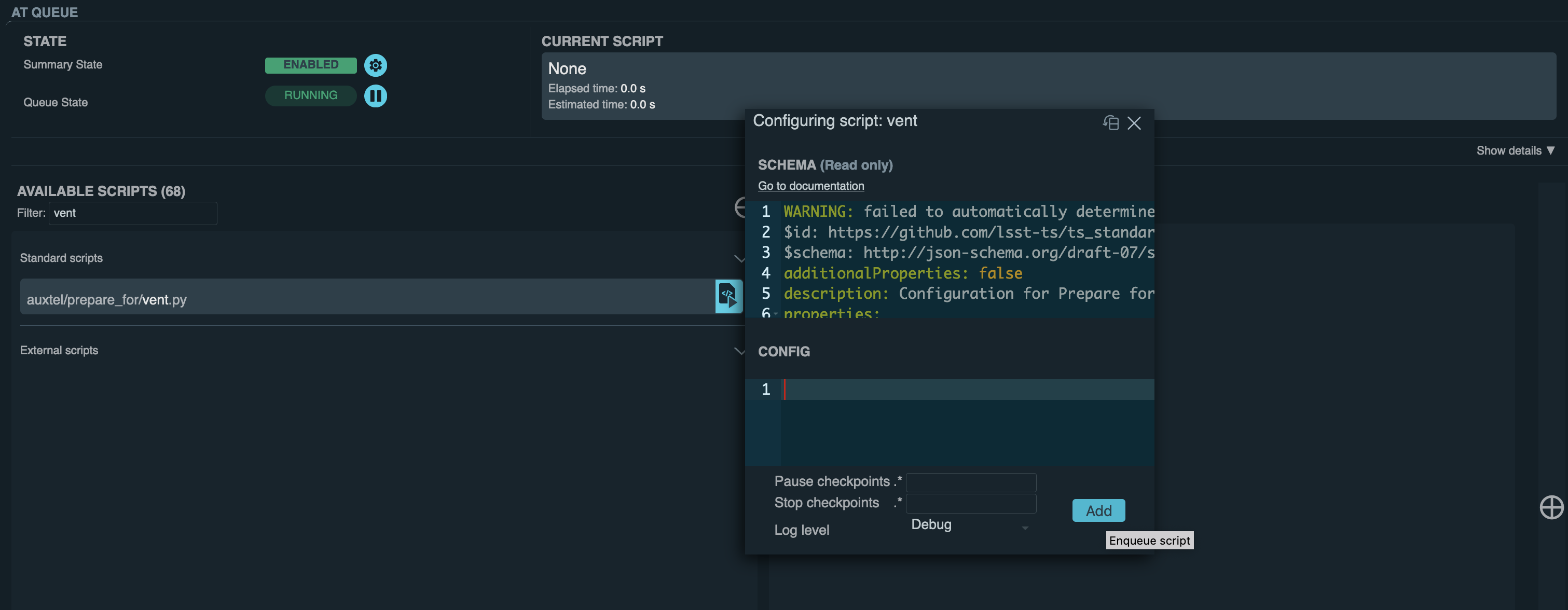
Screenshot of LOVE launching
auxtel/prepare_for/vent.pyscript.¶The script performs the following steps:
Check that all components are enabled.
Disable dome following.
Home the dome.
Disable AOS open loop corrections.
Close M1 primary mirror cover.
Close dome, if it was open.
Enable AOS open loop correction.
Point telescope horizontally; az = 180, el = 30, rot = 0 deg.
Disable AOS open loop corrections.
Slew dome to face opposite the Sun; az = Sun’s azimuth - 180 deg.
Partially opens the dome to allow consistent air flow.
Check the average wind speed over the last 10 minutes.
If the average wind speed is below 10 m/s, open Vent Gate 3 and turn the extraction fan on to 20% speed.
Continuously monitor the wind speed. If it exceeds 10 m/s, it will close the vent gate and turn of the extraction fan.
When the script is terminated or completes, it will turn the extraction fan off and close the vent gate.
Note
The
auxtel/prepare_for/vent.pyscript will keep running until the Sun’s elevation is 0 degrees above the horizon, repositioning the dome azimuth position every minute.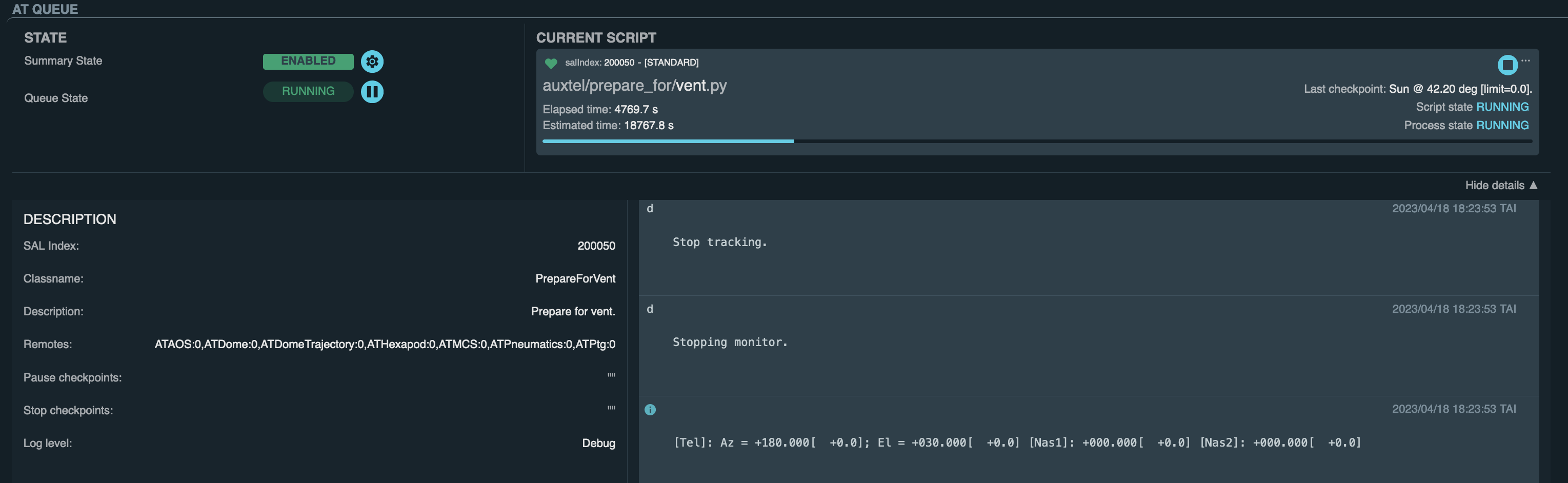
auxtel/prepare_for/vent.pyscript running until observer manually stops it or the Sun reaches 0 deg above horizon.¶Monitor the state of the Vent Gate 3 and its extraction fault using the ATBuilding Chronograf Dashboard.
If the average wind speed is below 10 m/s, the script will automatically open the vent gate and turn on the extraction fan to 20%.
If the average wind speed is above 10 m/s, the script will NOT open vent gates closed or turn the extraction fan on.
If the average wind speed exceeds 10 m/s while the script is running, it will turn the extraction fan off and close the vent gate. The script will NOT attempt to re-open them.
Note
Should observers need to override the current state of Vent Gate 3 and its extraction fan, navigate to the Activate Vent Gate and Extraction Fan procedure. The page provides non-standard instructions to open/close Vent Gate 3 and power on/off the extraction fan.
Visually confirm in LOVE displays that the system is venting.
Telescope is pointing to az = 180, el = 30 deg, rot = 0.
M1 Mirror cover is closed.
ATAOS corrections are disabled.
Dome shutter is two thirds open and pointing opposite the Sun, towards the eastern horizon; az = Sun’s azimuth - 180 deg.
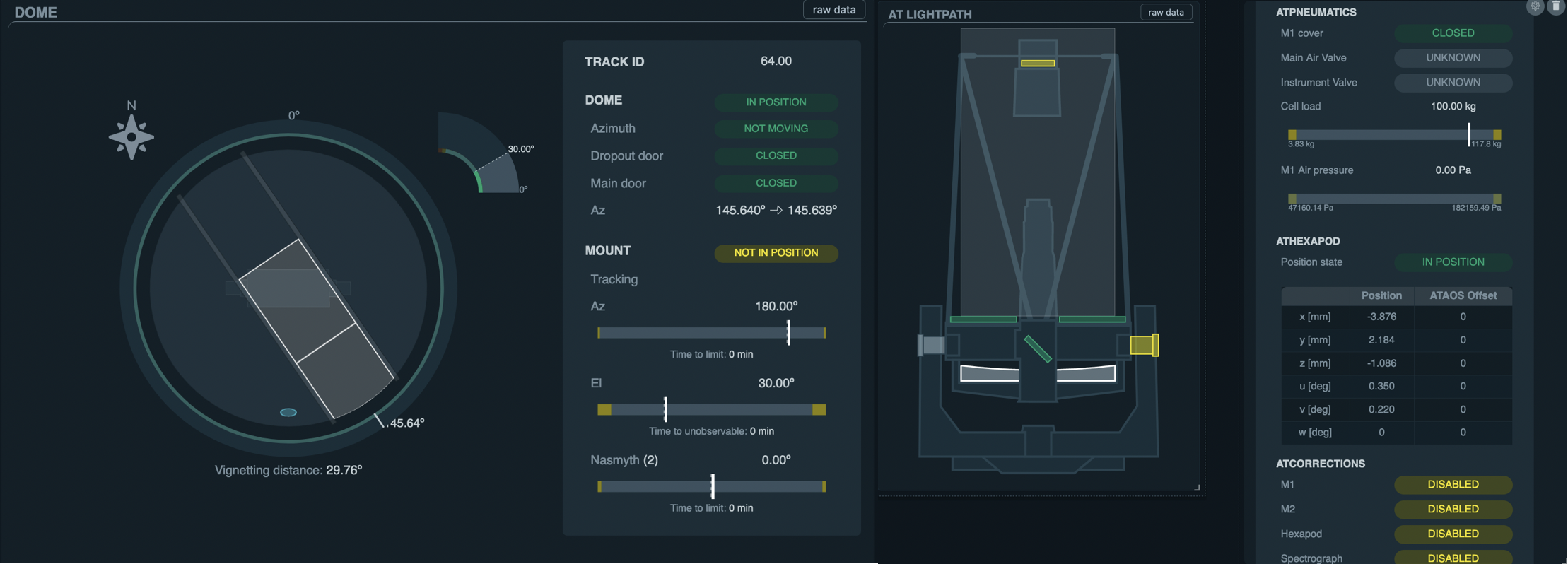
LOVE displaying AuxTel telescope and dome venting.
This procedure was last modified Oct 07, 2026.